Add DocuGrip to your guide
For library guides, course pages and help-desk articles. Copy a description, a link and a screenshot, and read exactly what happens to a student’s file before you recommend anything.
Ready-made descriptions
Use any of these as they are, shorten them, or rewrite them in your own words.
For a LibGuides link
Add a Link asset and paste these into its Name, URL and Description fields.
- Name
DocuGrip — PDF tools that never upload your file
- URL
https://docugrip.com/
- Description
Merge, compress to an exact size, convert, OCR, redact and sign PDFs without uploading the file. Free daily allowance.
Two sentences
DocuGrip (docugrip.com) merges, compresses, converts, OCRs, redacts and signs PDFs, and can shrink a file to the exact size an upload portal asks for, such as 4.8 MB. Files opened in its tools are never uploaded to DocuGrip, and there is a free daily allowance.
For a specific part of your guide
One sentence for the place in your guide where the problem comes up, with the page it points to.
Upload limits
File too large for the portal? DocuGrip compresses a PDF to the exact size you type, and lists the official upload limits for 50 portals with their sources.
Scanned readings
Make a scanned PDF searchable and selectable with OCR, without uploading the scan.
Combining files
Combine several PDFs, and JPG or PNG photos, into one file in the order you choose.
Sensitive documents
Redact names and numbers so the text is removed, not just covered by a box.
Court e-filing (law libraries)
PDF rules for 50 US court e-filing systems — size limits, searchable text, PDF/A and bookmarks — each from the court’s own rules.
Link code
For a web page or LMS page that accepts HTML.
<a href="https://docugrip.com/">DocuGrip — PDF tools that never upload your file</a>
Screenshot
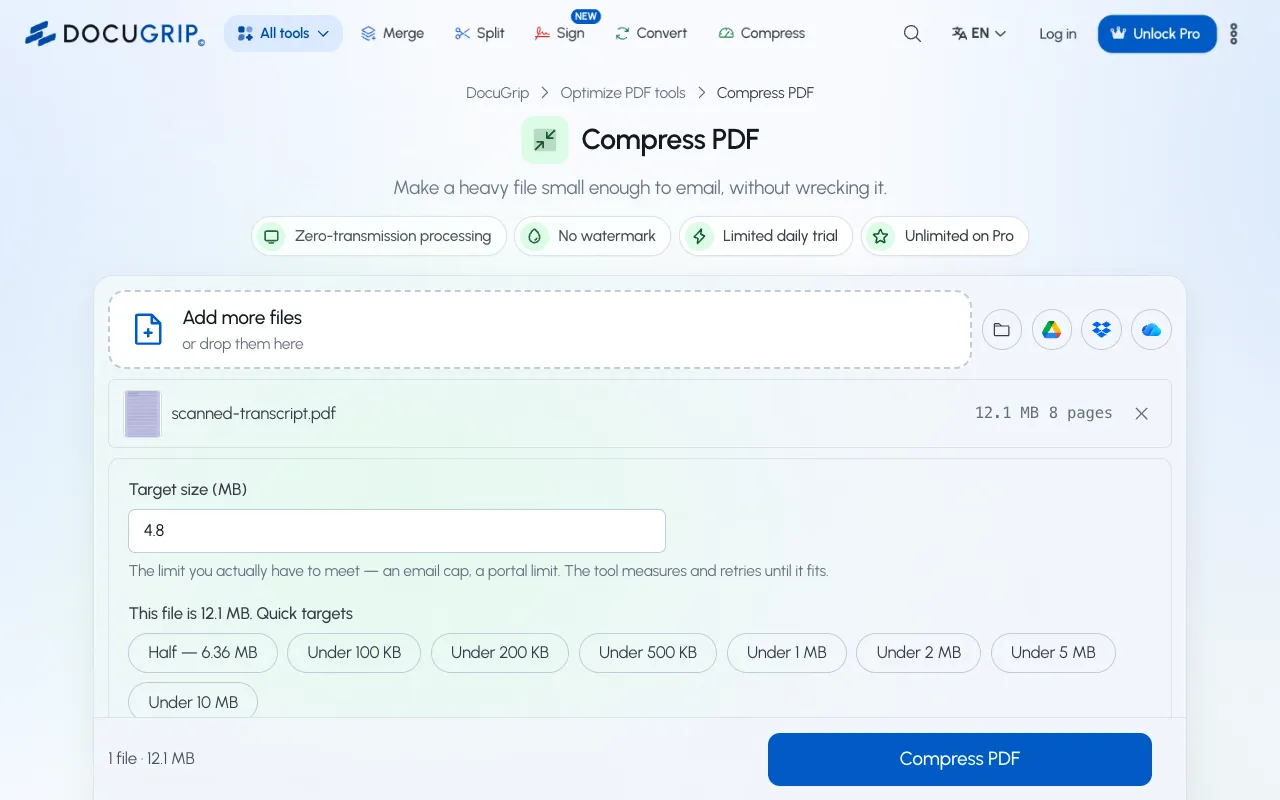
A current screenshot of the compressor. You may use it in your guide.
Download the screenshot (PNG, 1280 × 800)
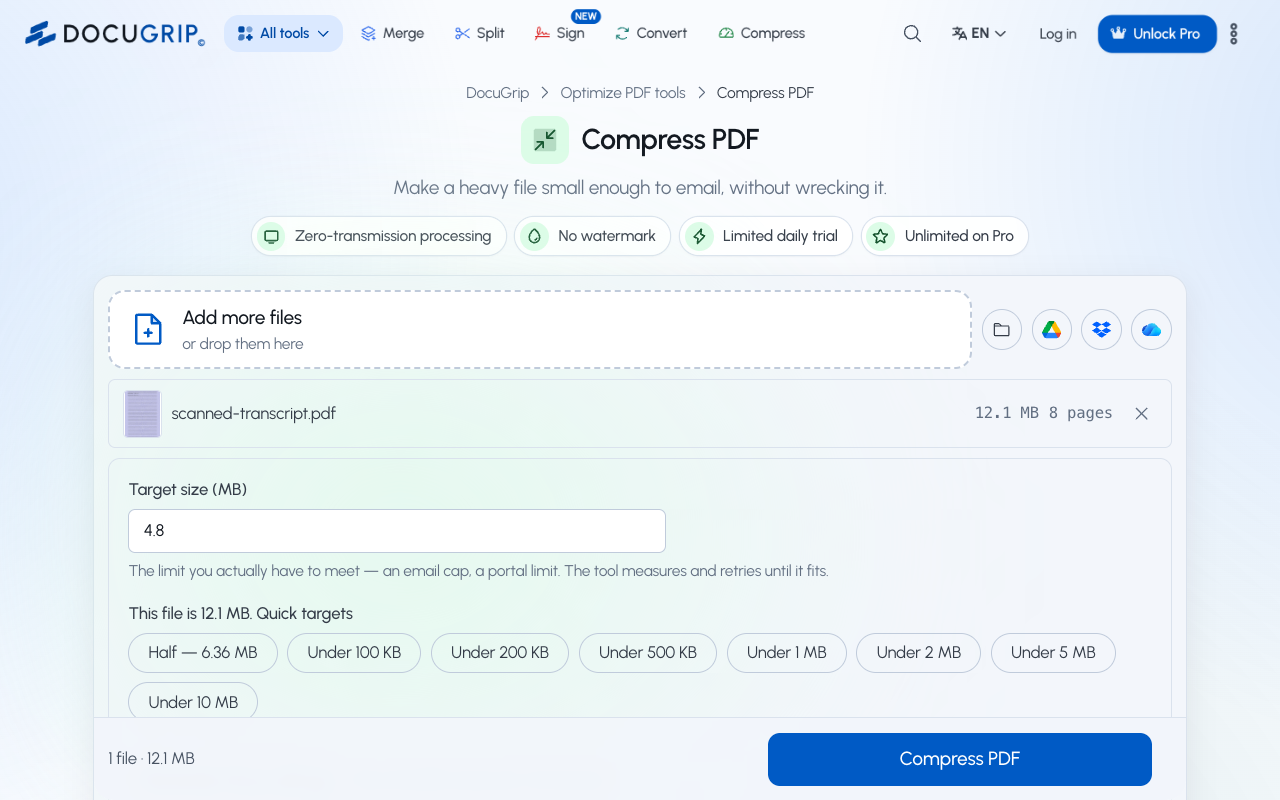
Alt text for the screenshot
DocuGrip’s Compress PDF tool with a 12.1 MB scanned transcript and a target size of 4.8 MB
Privacy, in plain words
What happens to a student’s file — the questions a privacy or accessibility review asks first.
- Files opened in DocuGrip’s tools are never uploaded to DocuGrip.
- Signature requests are the one exception: they keep an encrypted copy until the request is finished.
- Nothing is charged unless someone chooses a plan and pays for it.
- No watermark is added on any plan.
- No tracking cookies, and no personal data sold or shared for advertising.
Questions
- Do I need permission to link or use the screenshot?
- No. Link to any page, quote these descriptions and use the screenshot freely.
- Do you offer anything in exchange for a link?
- No. We do not pay for links or ask for one in return for anything. List DocuGrip only if it helps your readers.
- Is it free for students?
- Everyone gets a free daily allowance. Paid plans add more runs, and nobody is charged unless they choose a plan and pay for it.
Listed DocuGrip somewhere, or found something to fix? Tell us and we will keep your links working if a page moves.